
Institutes
Run learning across every course
Courses, batches, teachers and students in one place, with your own branding, terminology and reports — and your GIMS records feeding it.
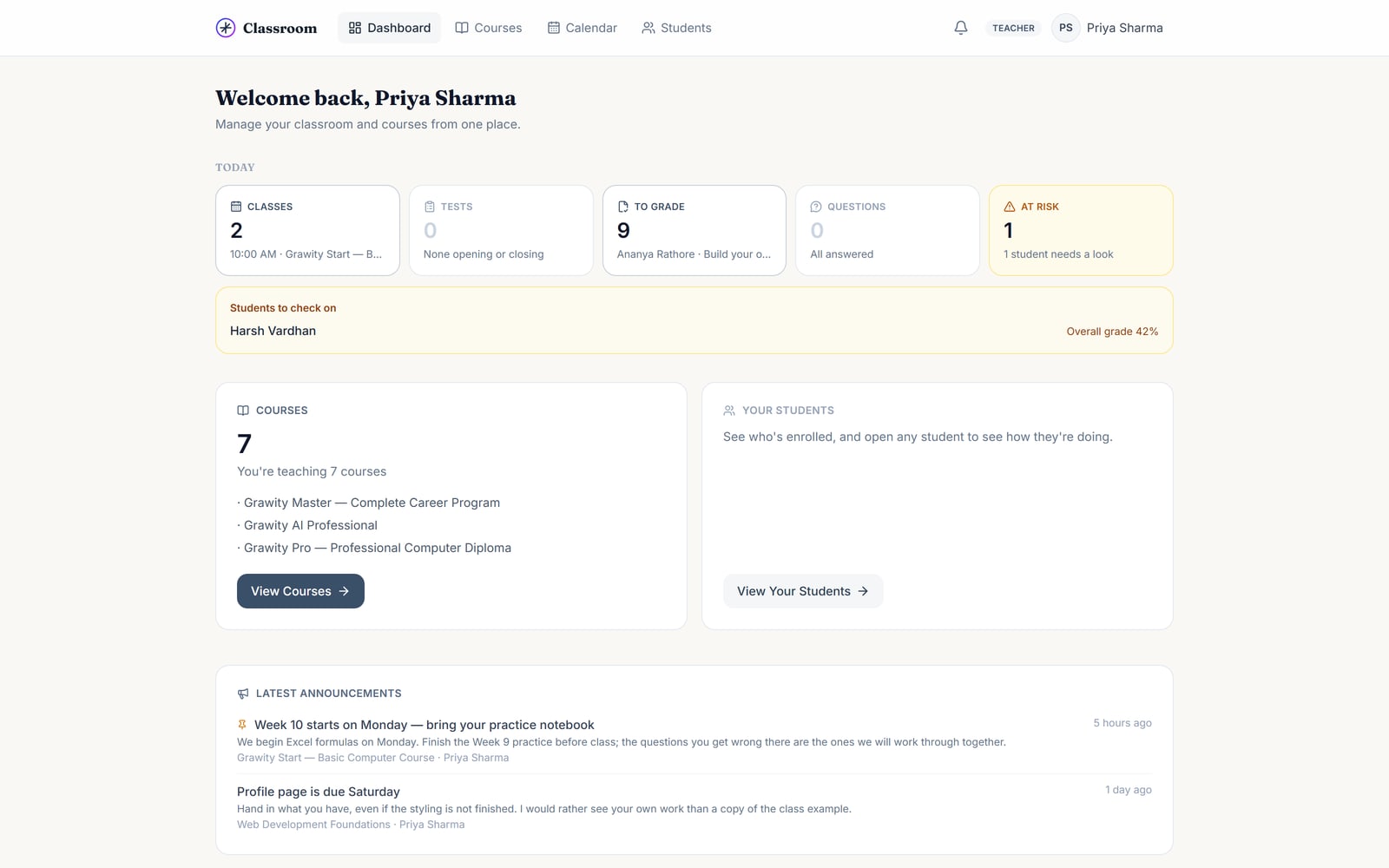
For institutesGrawity Classroom gives an institute the whole learning workflow in one product: lessons and resources, daily practice, tests and practical assignments, grading with rubrics, and progress that shows what each student actually knows.
The problem
Most institutes end up running learning through whatever is at hand. It works, until you need to know how one student is actually doing.
The workflow
Every part of Classroom sits on one loop. What a student gets wrong on Tuesday is what practice brings back on Thursday.
Courses, lessons, notes, resources and files — or import a whole curriculum from one file.
Students read the lesson, ask questions under it, and tick off each class day as it is taught.
Practice questions on every lesson, plus a spaced revision list that brings back what is slipping.
Tests from a question bank and assignments with rubrics — including practical work students actually build.
Grade with the rubric, leave structured feedback, return work for another try. AI can suggest; the teacher decides.
Progress, skills per topic and question-by-question analytics show exactly what to reteach.
Built for everyone in the institute
Institutes
Courses, batches, teachers and students in one place, with your own branding, terminology and reports — and your GIMS records feeding it.
For institutesTeachers
A question bank you build once, tests that write themselves from it, rubric grading, bulk actions and AI help you stay in control of.
For teachersStudents
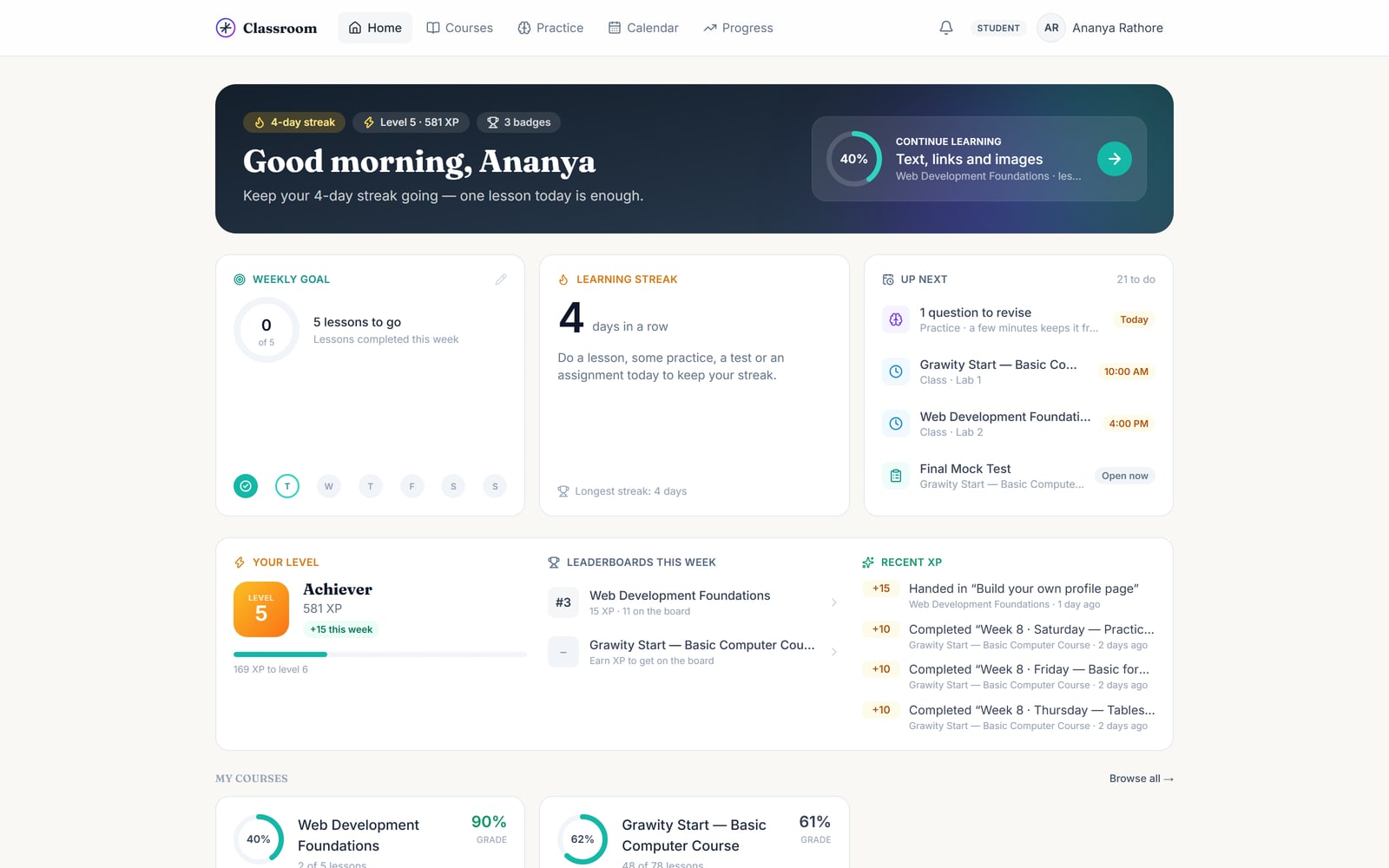
Read the lesson, practise, take the test, hand in real work, see feedback, and watch your skills and level move.
For studentsPractical learning
A practical assignment opens a workspace in the browser. Students write a web page or a Python program, run it, and hand it in — automated checks give a first score, and the teacher has the final word.
Test — question 4 of 15
Which function looks up a value and returns it from any column, left or right?
Assessment
Write a question once and reuse it in any test. Draw ten questions at random from thirty, shuffle the order and the options, and let numbers inside a question change per student — answer-sharing stops being useful.
Your own questions, tagged by topic and difficulty, searchable and reusable across tests.
Random draw, shuffled questions and options, and per-student number variations.
Objective questions are marked instantly, with explanations students can learn from.
Criteria and marks stated up front, so grading is consistent and students know the target.
Students review each other's work against the rubric — optional, and never their own.
Class average, weakest topics, and which question most students got wrong.
AI, with the teacher in charge
Classroom uses AI where it saves real time, and never as the final authority on a student's marks.
Describe the topic, difficulty and count. AI drafts questions; nothing enters the bank until a teacher approves it.
AI suggests marks against each rubric criterion with a reason. The teacher accepts, edits or ignores it.
Students can ask about the lesson they are on, in English, Hindi or Hinglish, with daily limits per student.
Progress
Not "8 of 12 lessons opened". Classroom works out how a student is doing per topic from every answer they give, marks a skill weak, building or strong, and brings weak ones back in revision.
Each topic scored from real answers, weakest first, for the student and for the whole class.
Questions return at widening intervals, so what was learnt in week 2 is still there in week 12.
Issued on completion with a link anyone can check — an employer included.
Tell us about your institute and we will set it up with you — courses, teachers and students included.